
Vast.aiUS-EastOn-demand
$1.73/ GPU / hr
Open provider

Cloud GPU · verified 2026-09-05
Hopper80 GB
The default datacenter hour. 80 GB of HBM3 is enough for most 70B work if you manage the KV cache. It is not a bargain because the FLOPs slide is pretty. It is a bargain when the job already fits.
Sponsored
The four cheapest in-stock on-demand H100 hours in this sample. Each card is a sponsored placement.
$1.73/ GPU / hr
Open provider
$2.39/ GPU / hr
Open provider
$2.49/ GPU / hr
Open provider
$2.69/ GPU / hr
Open providerSponsored does not change ranking. Commissions never move a row, a GPU, or a displayed price.
In brief
Catalog listings
Published on-demand rates first. Spot and waitlists are labeled. Confirm the live rate before you provision.
Our reading
I rent H100 when I can fill the SMs and the 80 GB envelope. I do not rent it as a status GPU. Marketplace H100s at meme prices are a different product from a Lambda or CoreWeave SXM node. Compare the SKU, not the three characters on the badge.
Rent it if Fine-tunes and serving that fit 80 GB, single-node training that actually uses NVLink, teams who can checkpoint and who will read SXM vs PCIe before they paste a card.
Skip it if Context windows that blow the KV cache, multi-node jobs that need a reserved fabric, or anyone shopping a 4090 workload with Hopper money.
How we compare hoursDatasheet
NVIDIA H100 · Per GPU · SXM
Table is H100 SXM, the SKU catalogs mean when they say “an H100.” H100 PCIe is ~350 W with slower HBM. H100 NVL is 94 GB and a 600 GB/s NVLink bridge, useful for 70B inference, not a silent upgrade. Confirm the form factor on the listing.
Trade-offs
What this GPU does well, and when the hour is the wrong buy.
Form factor
Same badge, different memory, bandwidth or interconnect. Confirm the SKU on the listing.
| Variant | Memory | Memory bandwidth | Interconnect |
|---|---|---|---|
| H100 SXM | 80 GB | 3,350 GB/s | NVLink 900 GB/s |
| H100 PCIe | 80 GB | 2,000 GB/s | NVLink 600 GB/s |
| H100 NVL | 94 GB | 3,938 GB/s | NVLink 600 GB/s |
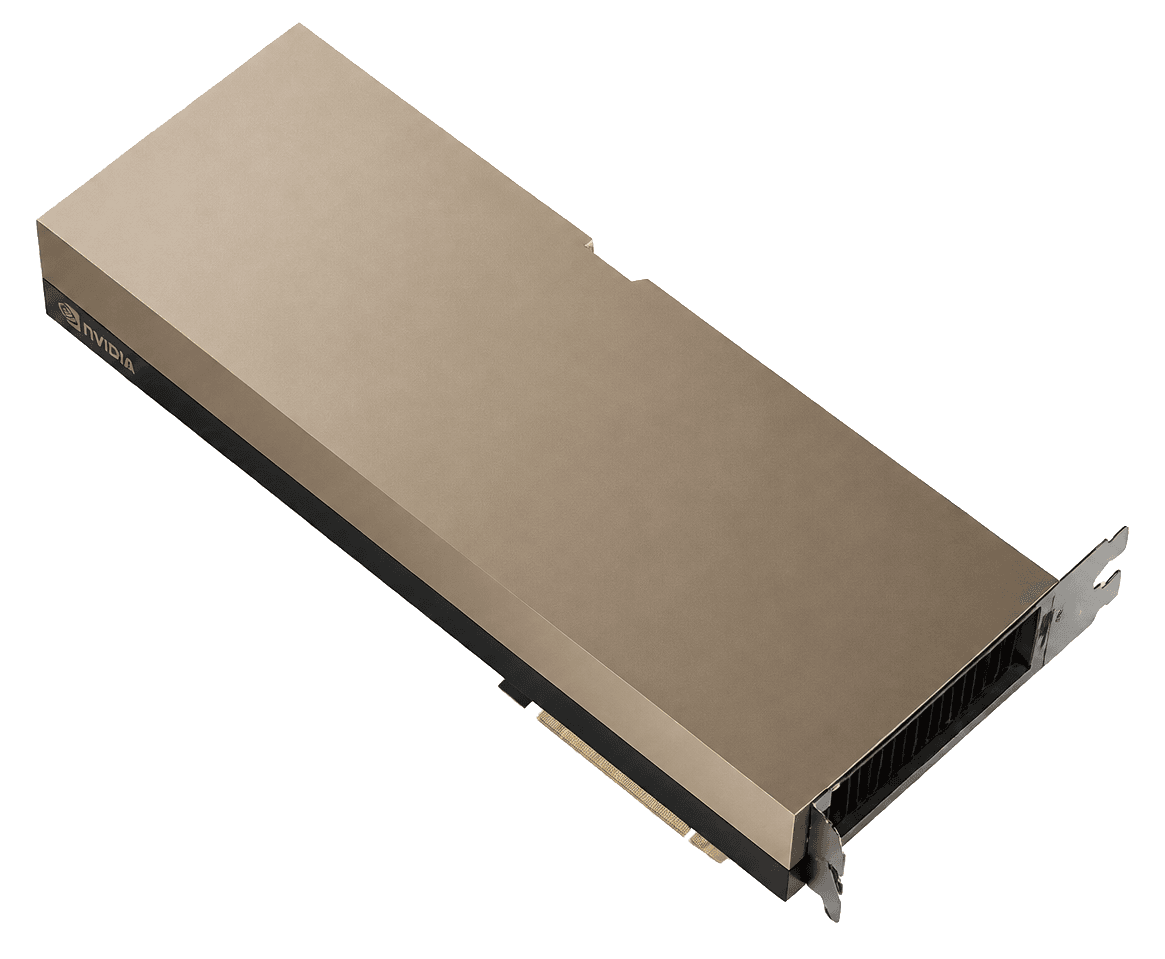
H100 is three products wearing one badge. SXM is the HGX node: 80 GB HBM3, 3.35 TB/s, NVLink 900 GB/s, up to 700 W. PCIe is the card you can bolt into a random chassis: less bandwidth, less fabric, often a different memory generation. NVL is the 94 GB twin for 70B-class inference in power-capped halls.
If a marketplace row says H100 and the price looks like a consumer card, you are probably not buying the SXM row Lambda would sell you. Compare hours inside a SKU. Mixing them is how people save twenty cents and lose a training run.
Most people landing here are fitting a 70B, serving a LoRA, or trying to keep a KV cache in HBM. Hopper’s SM count is the same family as H200. The upgrade is memory. If your batch already fits, you are paying H200 rent for headroom you will not touch.
Adam states, gradients, and long context are what blow 80 GB, not the marketing FLOPs. If the optimizer does not fit, extra TFLOPS are a very expensive fan. Buy memory first. Then fill the SMs.
On-demand H100 is the workhorse of this index: enough providers that you can walk away. That is the product. A waitlisted Blackwell at a fantasy FLOPs per watt is not a cheaper H100.
I still open Vast.ai for unverified floor prices and RunPod Secure when I want the job to finish. Lambda when the interconnect is the job. Hyperscalers when the data cannot leave. The GPU name stays H100. The product does not.
SXM, PCIe, or NVL. GPU count. NVLink or not. If the listing will not say, leave.
Model + states + KV cache. If it spills, you want H200 or more GPUs, not a denser kernel fantasy.
Spot and waitlists are labeled on this site. Do not mix them into the hour you budget.
FAQ
In the GPUBeacon catalog sample, on-demand H100 hours range from $1.73 per GPU per hour on Vast.ai to $4.98 on Azure. Marketplaces sit at the low end and hyperscalers at the high end. Stock and form factor differ by row, so confirm the live rate before you rent.
Divide the quote you get for the card and its server by the on-demand hour on this page. That is your break-even in rental hours. Then add power, cooling and idle time. If you will not keep it busy past that point, renting is cheaper and removes the capex.
Both. The H100 SXM and the H100 PCIe each carry 80 GB of HBM3-class memory. SXM has 3.35 TB/s of bandwidth and 900 GB/s NVLink. PCIe is about 2 TB/s with a slower fabric. H100 NVL is a different SKU with 94 GB per GPU. Confirm the form factor on the listing before you compare hours.
As of September 5, 2026, the cheapest verified in-stock on-demand H100 tracked by GPUBeacon is $1.73 per GPU per hour from Vast.ai.
As of September 5, 2026, at 720 hours per month, one H100 costs an estimated $2,153 at the median on-demand price in this sample. Cheapest verified in stock: $1,246 per month on-demand.
GPUBeacon currently tracks H100 configs from 15 providers. The cheapest verified in-stock on-demand configs come from Vast.ai, RunPod, Lambda and Fluidstack. See the full price comparison above for every provider and config.
GPUBeacon publishes a catalog sample, not a 90-day price index. As of September 5, 2026, the median on-demand H100 in this sample is $2.99 per GPU per hour. The cheapest verified in-stock hour is $1.73.
One H100 runs models up to roughly 120B parameters at 4-bit quantization or 31B at 16-bit, assuming a 32K context. Larger models run across multiple GPUs.
80 GB HBM3 with 900 GB/s NVLink for multi-node training. FP8 Transformer Engine for improved training throughput over A100. The standard choice for large-scale AI training and high-throughput inference.
May be more than needed for single-GPU inference on models under 30B parameters. Consider the L40S or A10 for cost-effective inference workloads.
The H100 ships in 3 versions with different memory, bandwidth or interconnect. The figures at the top of this page are for the H100 SXM.
Yes, when the job fits 80 GB and you need a SKU that is actually in stock. Blackwell is faster. Blackwell is also a waitlist with a power bill. H100 is the hour you can buy this week.
H200 if the extra 61 GB of HBM3e shortens the job enough to beat the H100 hour, usually KV cache and fat states. If you already fill 80 GB with compute-bound work, stay on H100.
The datasheet Tensor rows are with sparsity. Dense FP8 on H100 SXM is 1,979 TFLOPS. If your stack is not sparse, believe the dense column.
The silicon supports up to 7 instances. The provider may not expose it. If you need a slice, confirm the product page, do not assume a marketplace pod is MIG.
Keep comparing
Same job, different envelope. Compare VRAM, bandwidth and the hour before you lock a badge.
288 GB HBM3e · 2.4x the bandwidth of the H100
From$7.50/ GPU / hr
Compare141 GB HBM3e · 43% more bandwidth than the H100
From$3.00/ GPU / hr
Read the verdict32 GB GDDR7 · 47% less bandwidth than the H100
From$0.34/ GPU / hr
Compare80 GB HBM2e · 39% less bandwidth than the H100
From$1.19/ GPU / hr
Read the verdict
192 GB HBM3 · 58% more bandwidth than the H100
From$1.99/ GPU / hr
CompareSources
TFLOPS and TDP are from the vendor datasheet. Hourly prices are from the GPUBeacon catalog sample. Open the originals, then confirm the live SKU with the provider before you rent.
Official Hopper SXM figures on this page: 80 GB HBM3, 3,350 GB/s, NVLink 900 GB/s, 700 W.
resources.nvidia.comOpenOn-demand first, waitlists labeled, commissions never reorder a row. The rules behind the table above.
GPUBeaconRead