
Packet.aiUS-WestOn-demand
$0.66/ GPU / hr
Open provider

Cloud GPU · verified 2026-09-05
Blackwell96 GB
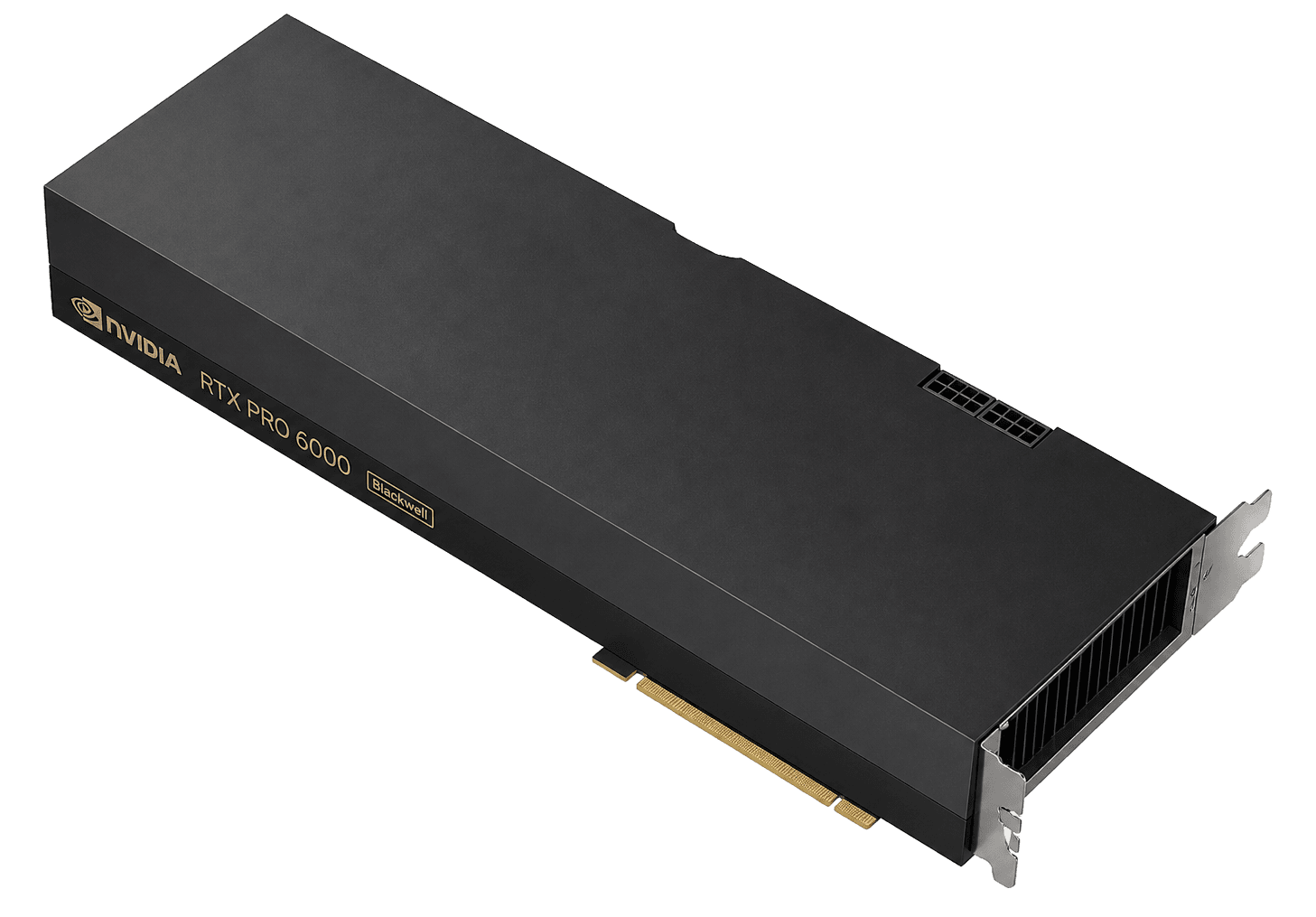
96 GB of GDDR7 with ECC on Blackwell, the workstation that clouds now rent like a datacenter card. Not HBM. Not NVLink 900. Often the honest hour when 80 GB Hopper is overkill and 32 GB 5090 is a toy.
Sponsored
The four cheapest in-stock on-demand RTX PRO 6000 hours in this sample. Each card is a sponsored placement.
$0.66/ GPU / hr
Open provider
$0.72/ GPU / hr
Open provider
$0.79/ GPU / hr
Open provider
$0.89/ GPU / hr
Open providerSponsored does not change ranking. Commissions never move a row, a GPU, or a displayed price.
In brief
Catalog listings
Published on-demand rates first. Spot and waitlists are labeled. Confirm the live rate before you provision.
Our reading
I rent RTX PRO 6000 when I want 96 GB without Hopper tax and I can live without NVLink fabric. Inference, LoRA, creative + AI mixed workloads. I do not rent it to train a 70B with AllReduce across 8 GPUs as if it were HGX.
Rent it if Single-GPU 70B-class inference at moderate context, fine-tunes that want 96 GB, shops that needed ECC and got tired of 5090s dying mid-job.
Skip it if Multi-GPU NVLink training. Jobs that are bandwidth-bound on HBM. Anyone who thought this was RTX 6000 Ada 48 GB.
How we compare hoursDatasheet
NVIDIA RTX PRO 6000 Blackwell · Per GPU · Workstation / Server
Workstation, Max-Q, and Server editions share the 96 GB story and not the TDP. Clouds usually rent the server board. If the hour is suspiciously cheap, check whether you got a 300 W Max-Q.
Trade-offs
What this GPU does well, and when the hour is the wrong buy.
96 GB vs 80 GB looks like a win in a spreadsheet. Memory type is the plot. HBM wins bandwidth-bound training. GDDR7 wins “I need the bytes and a PCIe slot.” I pick this card for fit and ECC, not for AllReduce.
If your trainer is NCCL across 8 GPUs, you wanted HGX. If your trainer is one model, one card, 96 GB, welcome.
Ada RTX 6000 is 48 GB. This page is 96 GB Blackwell. Catalogs still mix the strings. If VRAM says 48, you are on the wrong generation and the wrong review.
600 W vs 300 W vs server. Power is performance on this silicon.
If yes, leave. If no, 96 GB ECC is the pitch.
H100 if bandwidth/fabric. 5090 if 32 GB is enough and you accept consumer risk.
FAQ
In the GPUBeacon catalog sample, on-demand RTX PRO 6000 hours range from $0.66 per GPU per hour on Packet.ai to $0.99 on Lambda. Marketplaces sit at the low end and hyperscalers at the high end. Stock and form factor differ by row, so confirm the live rate before you rent.
Divide the quote you get for the card and its server by the on-demand hour on this page. That is your break-even in rental hours. Then add power, cooling and idle time. If you will not keep it busy past that point, renting is cheaper and removes the capex.
All three are Blackwell cards with 96 GB of GDDR7 ECC memory and no NVLink. Workstation Edition is actively cooled at up to 600 W. Max-Q is a 300 W, lower-clock version. Server Edition is passively cooled for rack nodes. Read the TDP and form factor on the listing before you compare hours.
Yes. NVIDIA calls it the RTX PRO 6000 Blackwell and many people search for RTX 6000 Pro. It is not the older RTX 6000 Ada, which has 48 GB.
As of September 5, 2026, the cheapest verified in-stock on-demand RTX PRO 6000 tracked by GPUBeacon is $0.66 per GPU per hour from Packet.ai.
As of September 5, 2026, at 720 hours per month, one RTX PRO 6000 costs an estimated $569 at the median on-demand price in this sample. Cheapest verified in stock: $475 per month on-demand.
GPUBeacon currently tracks RTX PRO 6000 configs from 5 providers. The cheapest verified in-stock on-demand configs come from Packet.ai, Vast.ai, RunPod and Koyeb. See the full price comparison above for every provider and config.
GPUBeacon publishes a catalog sample, not a 90-day price index. As of September 5, 2026, the median on-demand RTX PRO 6000 in this sample is $0.79 per GPU per hour. The cheapest verified in-stock hour is $0.66.
Single-GPU 70B-class inference at moderate context, fine-tunes that want 96 GB, shops that needed ECC and got tired of 5090s dying mid-job.
Multi-GPU NVLink training. Jobs that are bandwidth-bound on HBM. Anyone who thought this was RTX 6000 Ada 48 GB.
For single-GPU inference and many fine-tunes, sometimes. For NVLink training and HBM-bound steps, no. Compare the job, not the VRAM integer.
Same architecture family, different product: ECC, MIG, workstation/server boards, 96 GB. 5090 is 32 GB consumer. Do not mix reliability stories.
Keep comparing
Same job, different envelope. Compare VRAM, bandwidth and the hour before you lock a badge.
80 GB HBM3 · 87% more bandwidth than the RTX PRO 6000
From$1.73/ GPU / hr
Read the verdict32 GB GDDR7 · similar bandwidth to the RTX PRO 6000
From$0.34/ GPU / hr
Read the verdict48 GB GDDR6 · 52% less bandwidth than the RTX PRO 6000
From$0.79/ GPU / hr
Read the verdict80 GB HBM2e · 14% more bandwidth than the RTX PRO 6000
From$1.19/ GPU / hr
CompareSources
TFLOPS and TDP are from the vendor datasheet. Hourly prices are from the GPUBeacon catalog sample. Open the originals, then confirm the live SKU with the provider before you rent.